
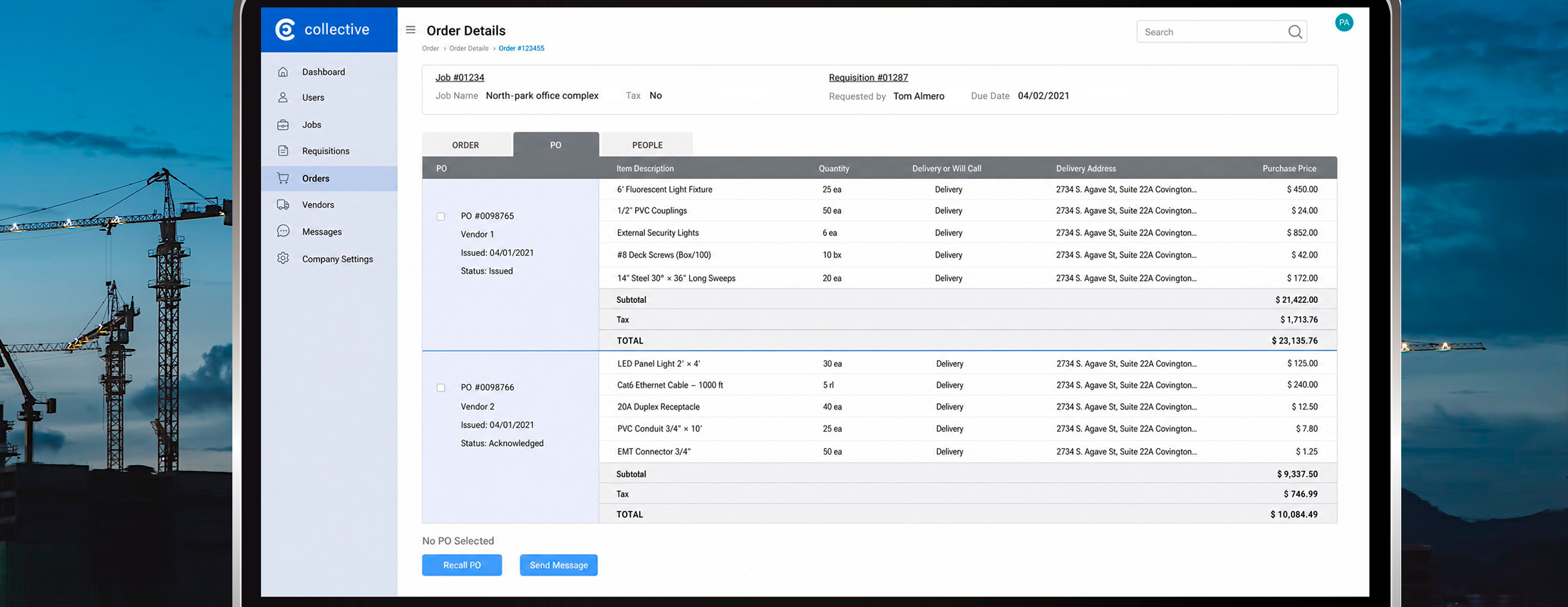
Procurement management system
ABOUT
The Collective is a purchasing management software for the electrical construction industry. It’s a fully integrated enterprise resource planning (ERP) solution that organizes the chaos of procurement and automates trivial decisions, which saves valuable company resources and allows for meaningful business exploration.
RESPONSIBILITIES:
– Collaborated with Product Strategists, PMs, and Engineers
– Conducted product discovery, field research, and expert interviews
– Created and presented deliverables to stakeholders
– Validated prototypes through expert feedback and sprint reviews
– Designed mockups and handed off assets to developers
– Led biweekly UX critique sessions
CADENCE & PHASES
Two-week sprints. 8 SOW phases.
MY ROLE
– My Role – Lead Product Designer
– Project Manager
– Product Strategist
– Engineers
WHEN
2020 – 2021
BUSINESS IMPACT
Measurable Results in 2 Months After Launch
Material cost savings
Average reduction across procurement spend at both pilot companies
Daily email volume
Procurement requests dropped from ~100/day to ~5/day per company
Monthly unit throughputs
Average units processed through distributive flows per month
Companies for pilot adoption
Each with 200+ workers; deployed as a demo platform from March 2022
During a system demo: “I would love to use the system right away! I see a great value.“
PROBLEM FRAMING
The Real Problem Wasn’t the Software — It Was Operational Chaos
Electrical contractors were managing multi-million-dollar material procurement through disconnected Trello boards, Google Docs, and high-volume email chains.
The symptoms were: 100+ procurement emails daily, missed deliveries, and cost overruns. But the root issue was systemic: no shared source of truth, no role-specific information architecture, and no automated decision layer to reduce cognitive load across field and office teams.
I set the early strategic direction: this was not a digitization project, but a coordination and decision-support problem. This distinction shaped every design decision that followed.
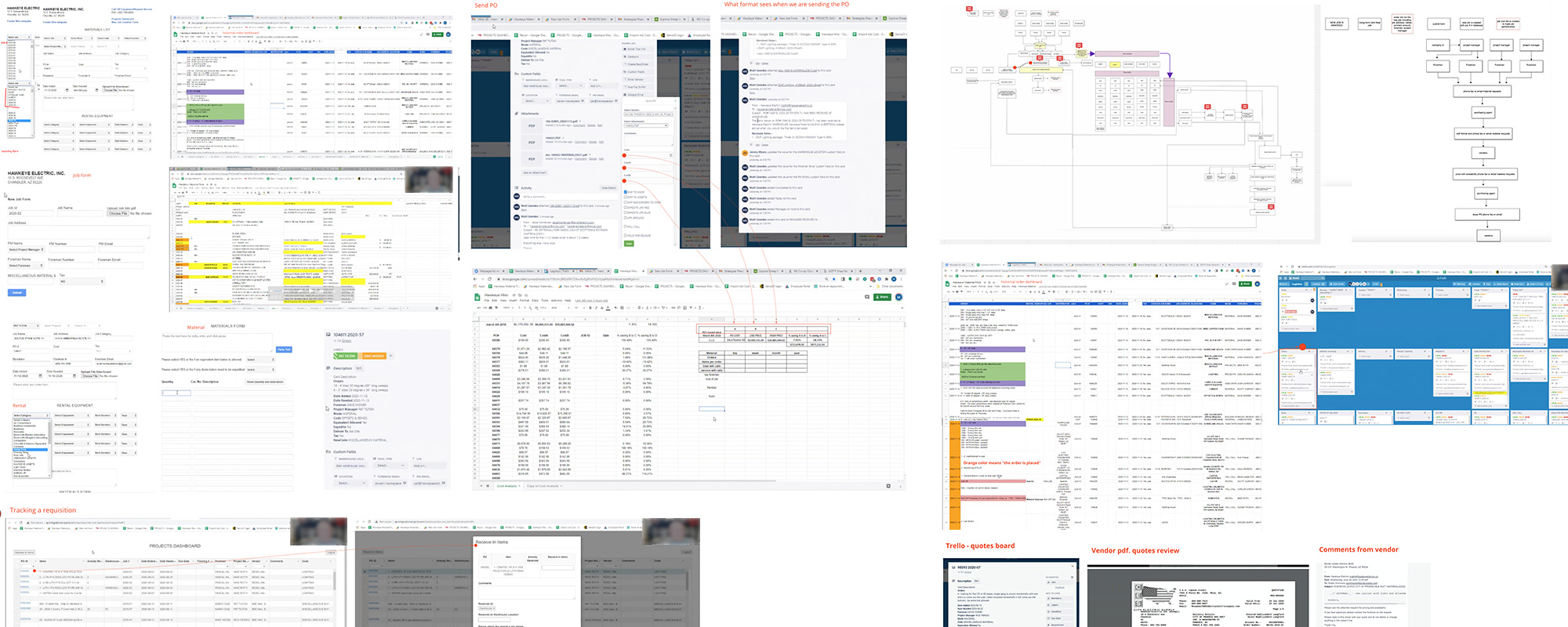
I analyzed the client’s documentation, processes, and workflows to understand how their system works.
STRATEGIC APPROACH
From Discovery to System Logic
Reframing scope through Jobs-To-Be-Done
Instead of assigning features to specific roles, I used a JTBD framework to test what each stakeholder actually needed to achieve and identify where the system could take over decision-making.
Jobs-to-be-done journey map
End-to-end process of requesting and fulfilling project material needs
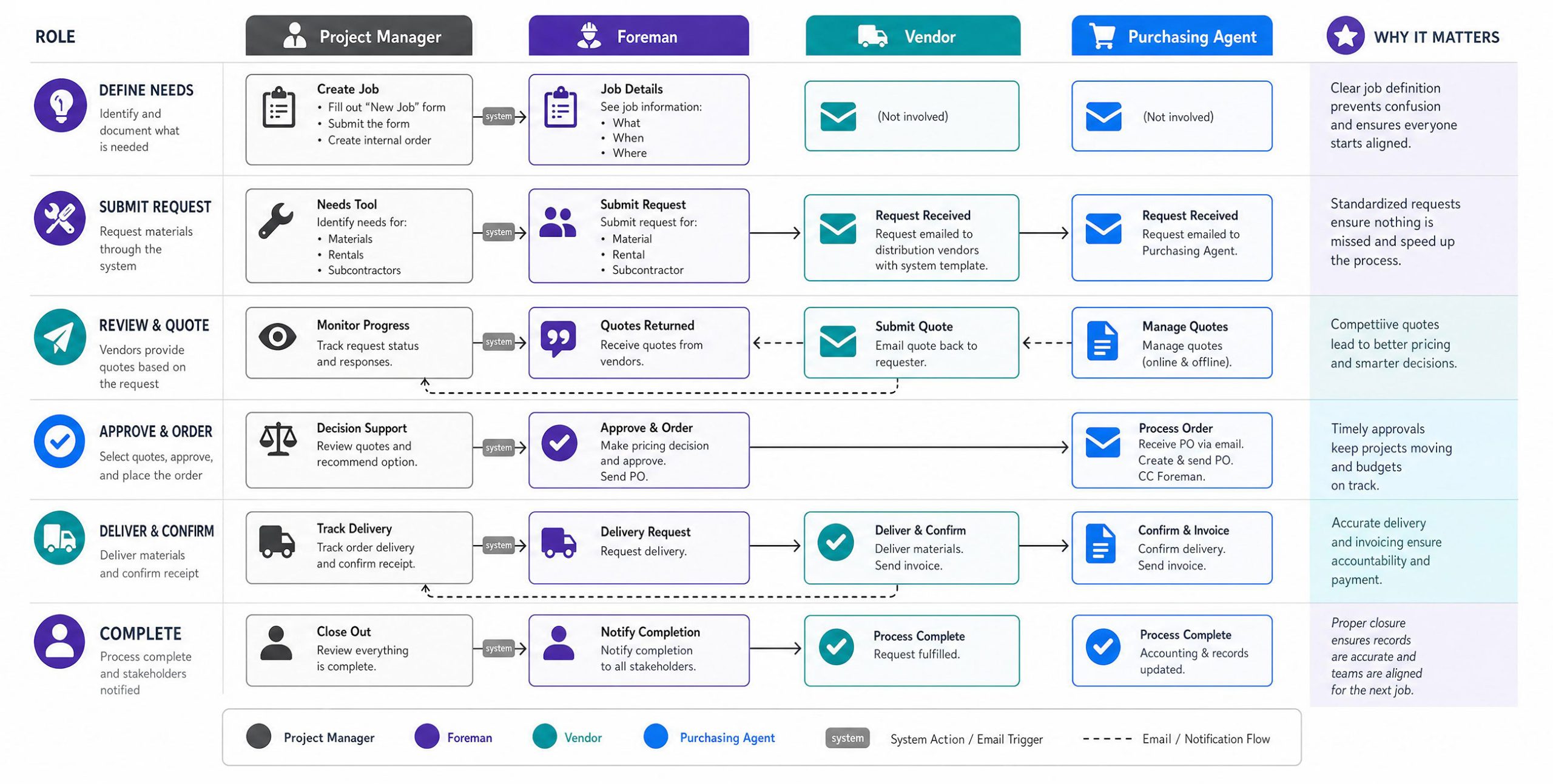
The early key insight – 3 main roles: Project Manager, Purchasing Agent, and Foreman
All three roles needed different information and had different risk levels at each stage of the procurement. A single unified experience would not work for all of them.
Journey mapping as a shared decision tool with the client
I spent significant time on journey mapping before any wireframes, not as a formality but as a shared decision tool with the client.
The maps became the main reference for resolving prioritization conflicts, handling edge cases, and aligning stakeholders across eight SOW (Scope of Work) phases. This upfront work made later design decisions much faster.
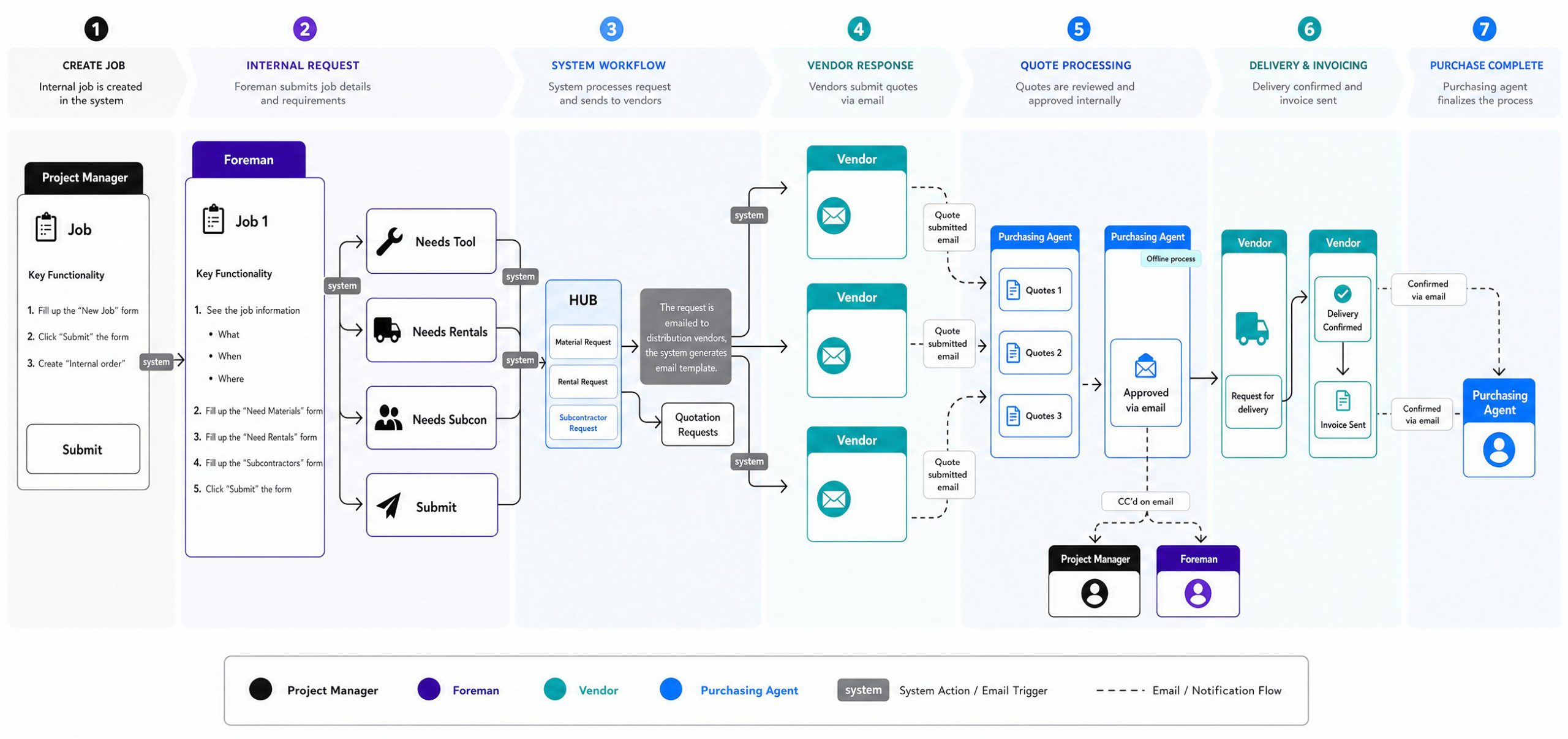
The complete procurement lifecycle
From internal job creation to vendor quotation and delivery confirmation
Defining MVP through constraint logic
With design one sprint ahead of development, strict scope control was required. I worked with the Product Strategist to define the MVP based on the smallest complete procurement flow — job creation, assignment, requisitions, PO creation, and recall — not on the number of features.
Everything else was moved to later phases to prevent scope creep and keep deliveries on track.
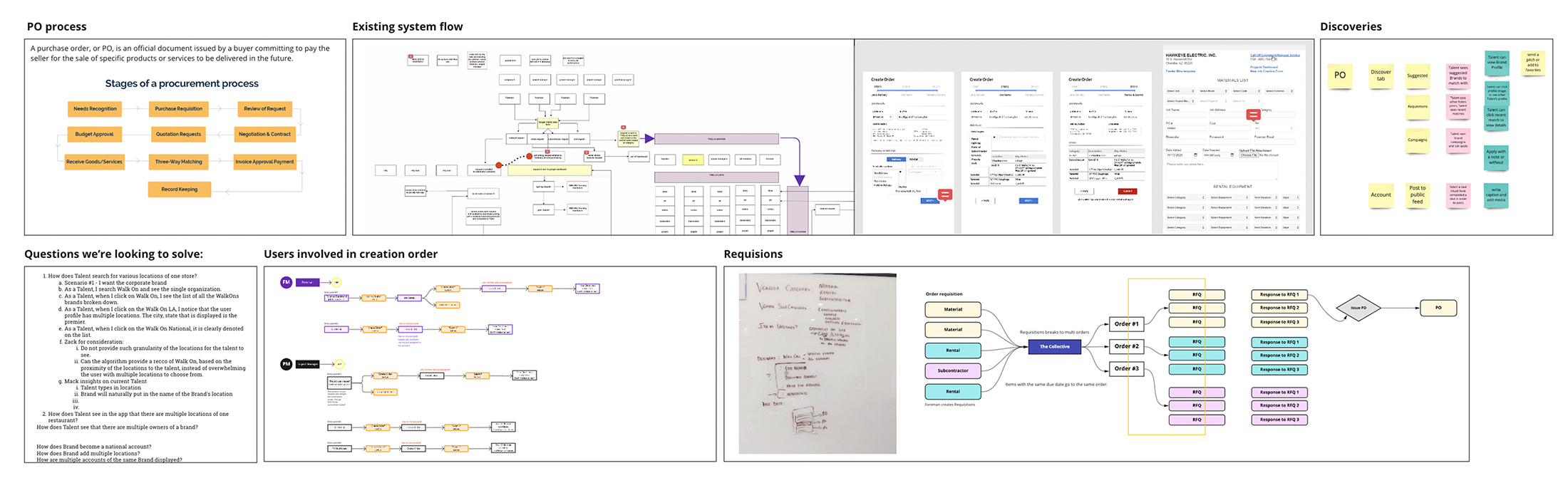
Visual artifacts illustrating the discovery phase before MVP definition.
KEY DESIGN DECISIONS & TRADEOFFS
Where Strategic Thinking Shaped the Product
Decision 1 · Role-differentiated dashboards over a unified view
Seven distinct dashboards were designed — one per role — rather than a single configurable view.
– Tradeoff accepted: higher design and dev cost upfront, in exchange for eliminating information overload and reducing training time for field workers.
– Why: Foremen needed quick access to delivery status and quantities. Purchasing Agents needed to reconcile orders across vendors. One dashboard couldn’t effectively support both needs.
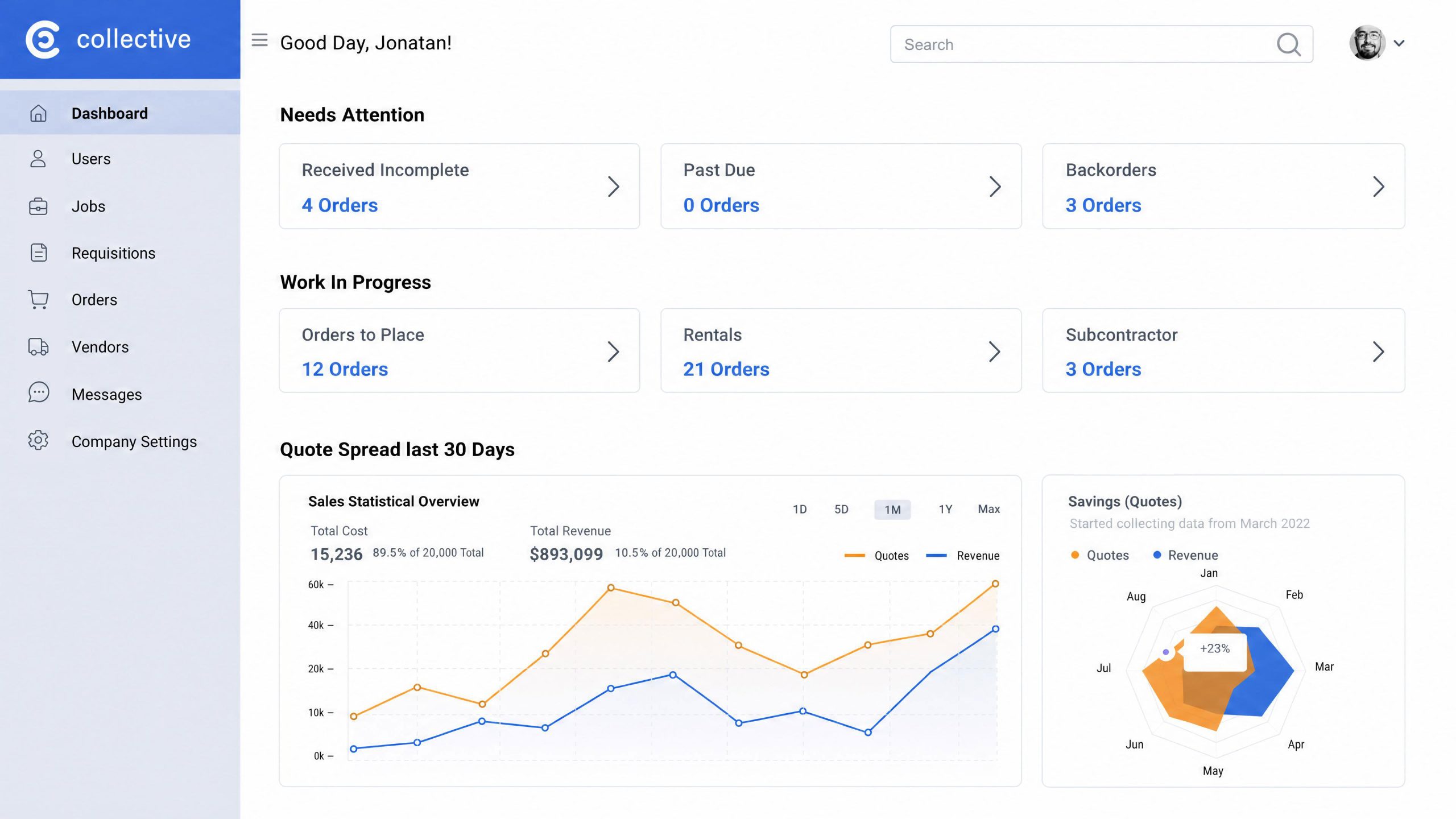
The “Morning Screen” dashboard gives the purchasing agent a clear overview of everything happening across ongoing orders and activities.
Decision 2 · Platform-native communication over integrated chat
I created communication flows that automatically aligned with specific orders and job stages, giving users the right context exactly when they needed it.
– Tradeoff: Increased implementation complexity, but it replaced unclear email threads with context-driven communication.
– The core problem solved: everyone received the right updates for their role and project status, reducing miscommunication about schedules and inventory.
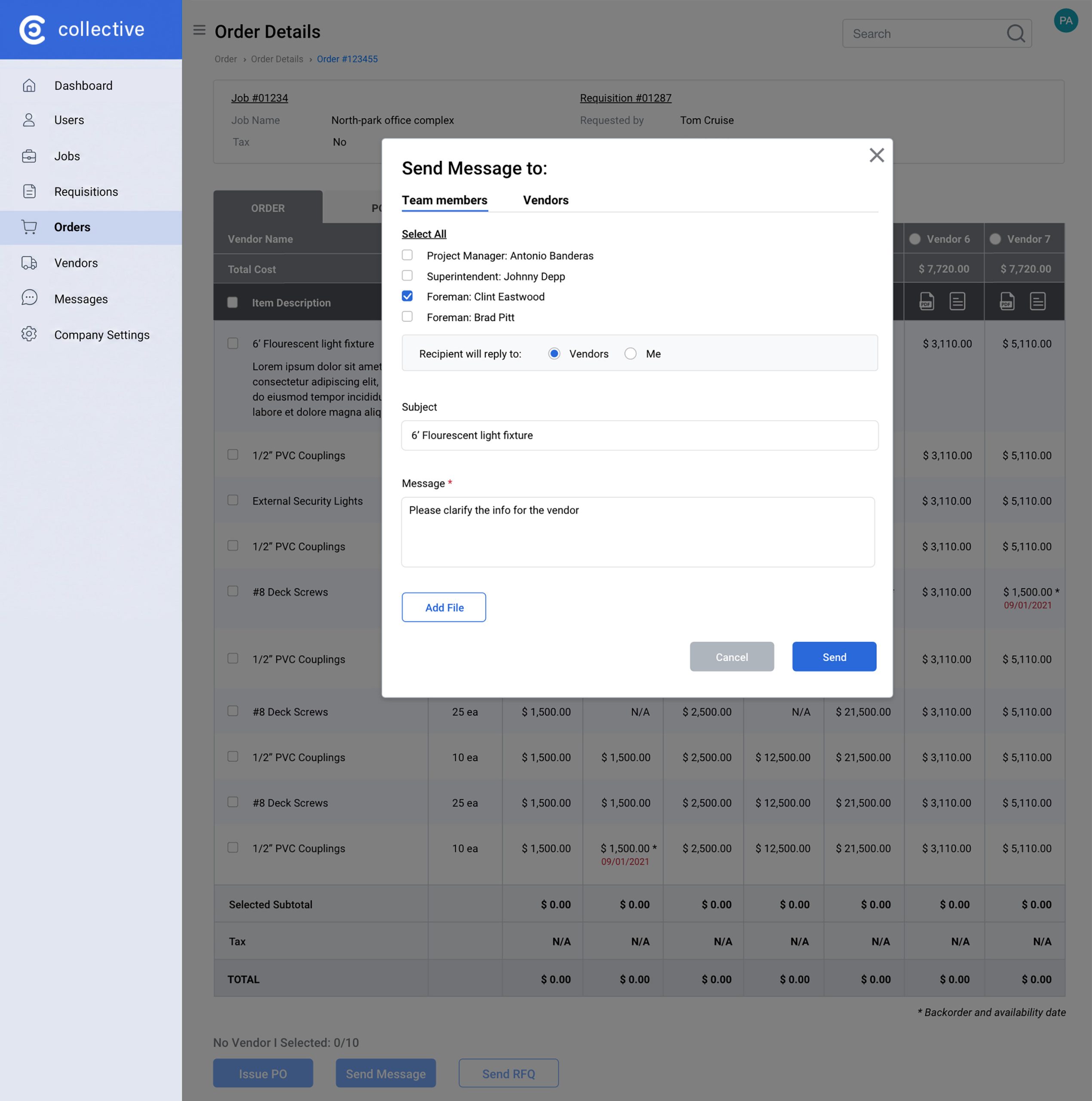
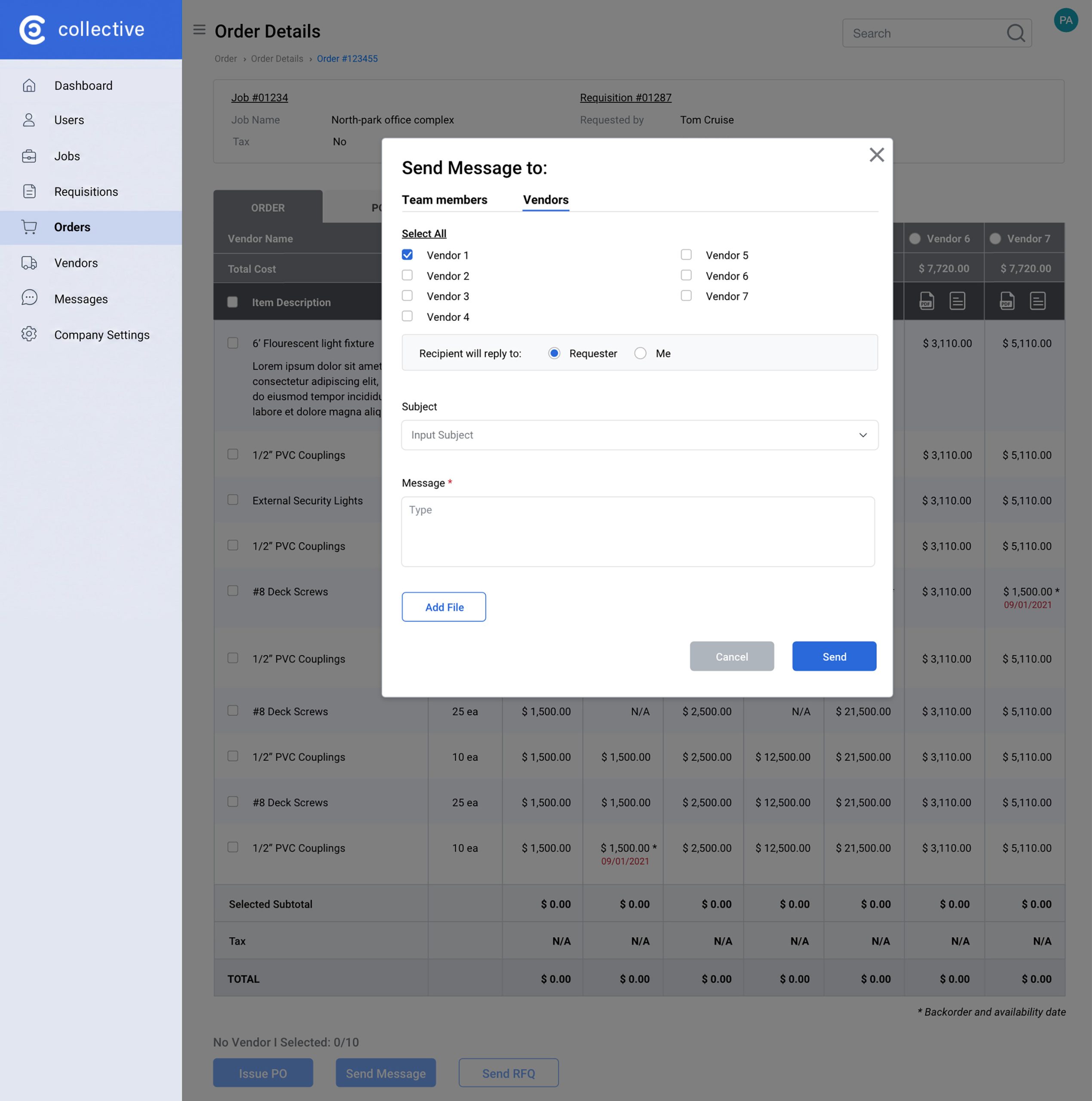
The screens show that the procurement agent can send messages to vendors and other stakeholders related to the specific order. This reduces communication overhead and saves time.
Decision 3 · Item Catalog as a platform-scale inflection point
Mid-project, the Product Manager proposed an Item Catalog feature that expanded the product from a workflow tool into a vendor-facing platform.
– I recognized that this was more than a new feature and ensured the information model could support it without reworking existing flows.
– This decision expanded the system from internal procurement coordination to a two-sided ordering platform.
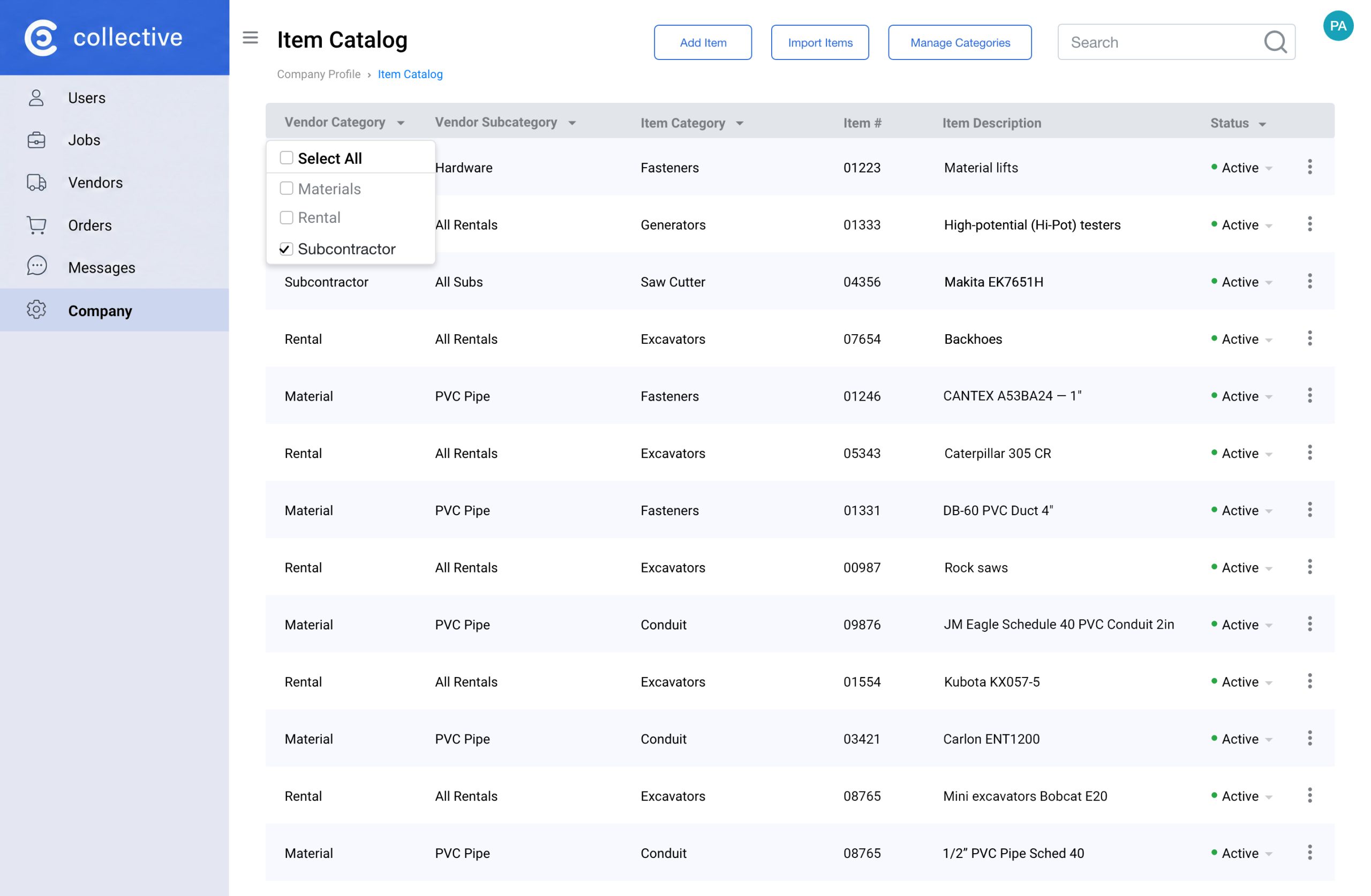
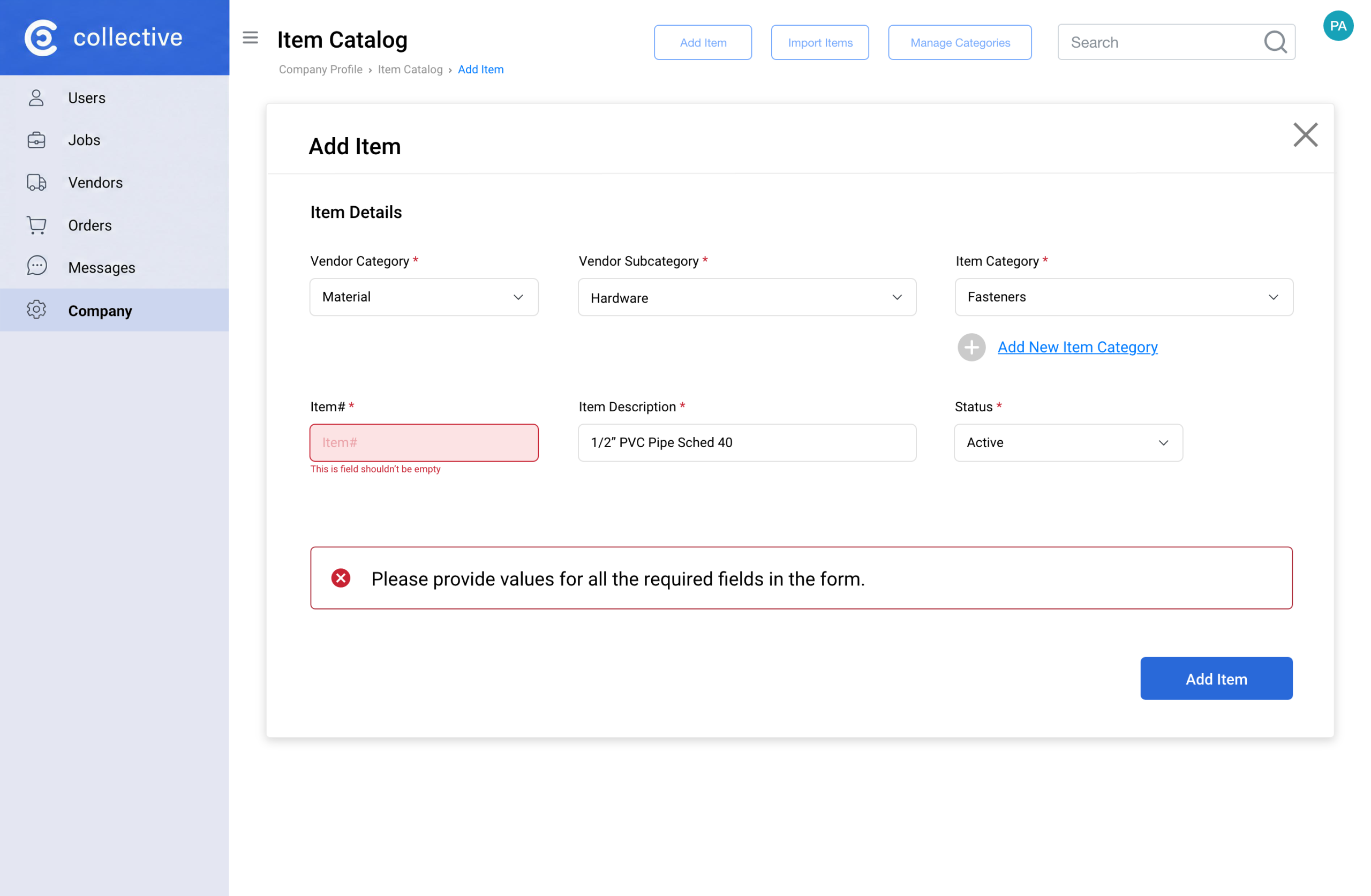
Vendors create item catalogs based on the construction organization’s requirements, but the procurement agent can adjust the catalog as needed.
Decision 4 · Accessibility as product strategy, not compliance
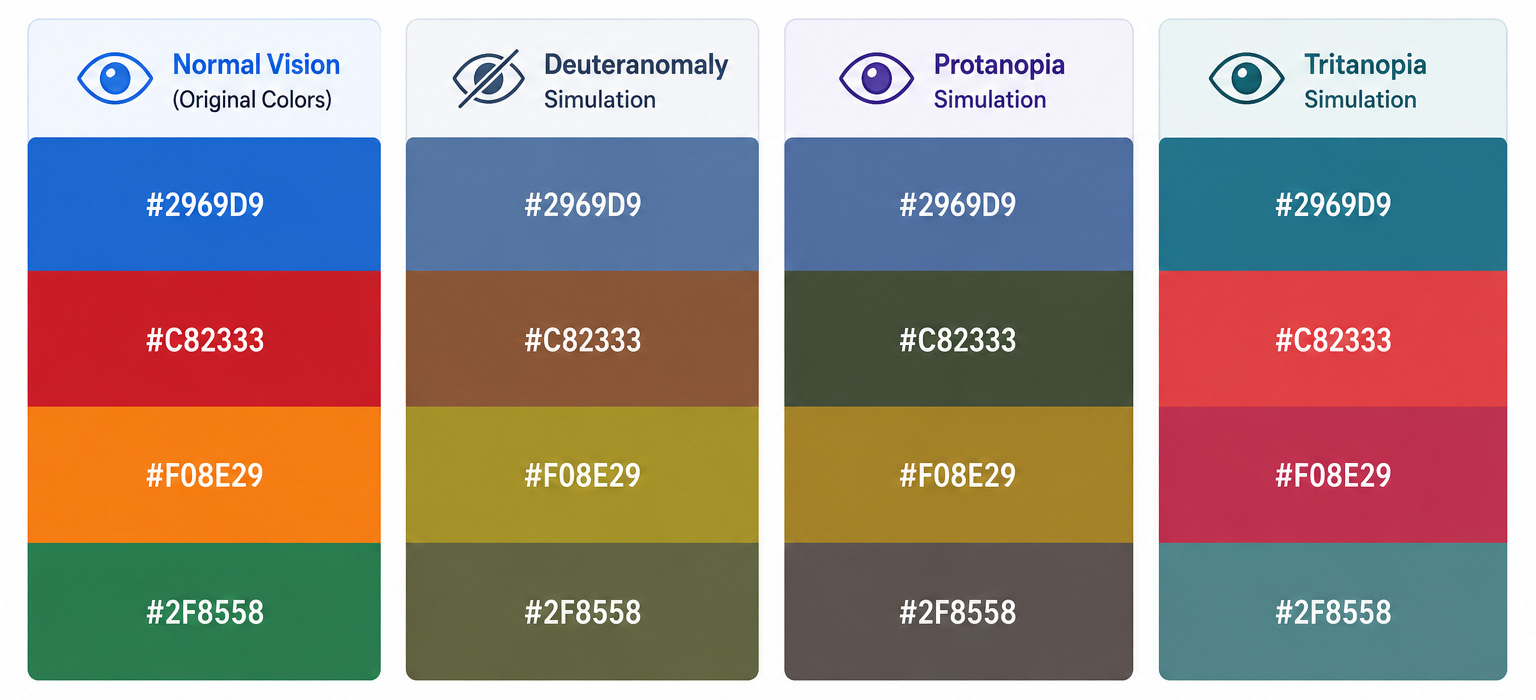
Research revealed that 87.8% of construction workers are men — a demographic with ~8% color vision deficiency prevalence. I reframed accessibility from a checklist into a core UX requirement.
– Solution: Designed status indicators using multiple visual cues and validated them with a colorblind participant to ensure clear communication.
– Why: Reliability for all users was critical to maintaining trust and minimizing support needs.
How color blindness affects the reference palette
These simulations show how the same colors may appear to people with different types of color vision deficiency
SYSTEMS THINKING
Designing Complexity at Scale
The challenge was designing a consistent and scalable UX across multiple user roles, vendor interactions, and procurement workflows, while staying one sprint ahead of an active development team.
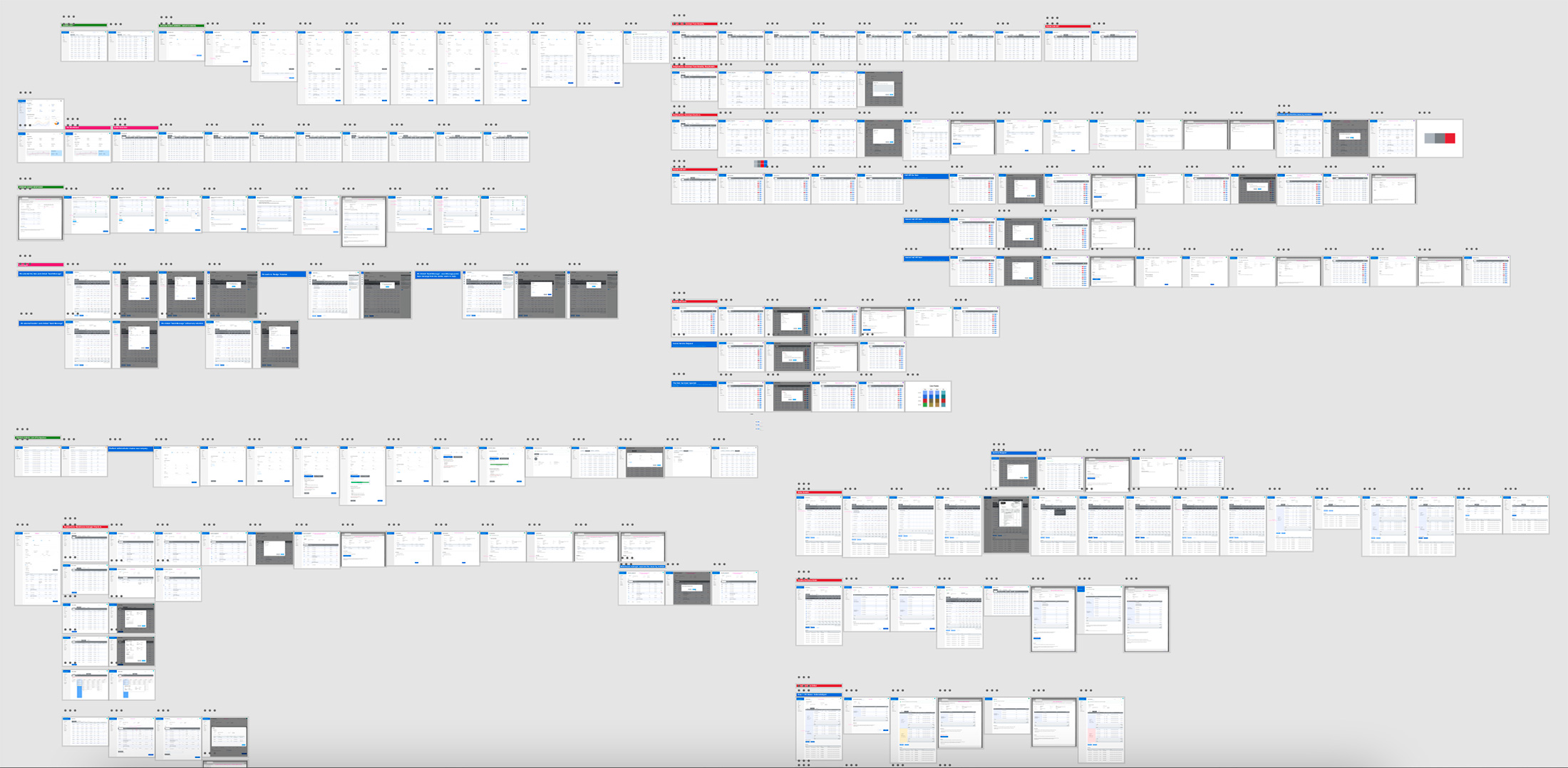
– I created a clear navigation structure for the Adobe XD prototype, which grew to hundreds of screens, so any team member could easily find, review, and extend flows without relying on tribal knowledge.
– I introduced bi-weekly design critiques to catch flow issues early, before they become development problems. This helped reduce ambiguity and made developer handoffs smoother.
– As the project evolved, I added the Warehouse Manager role after MVP without changing existing flows. I planned for this early by building flexible extension points into the architecture and data model.
UI DESIGN
Requisition Creation and Order Issue UI
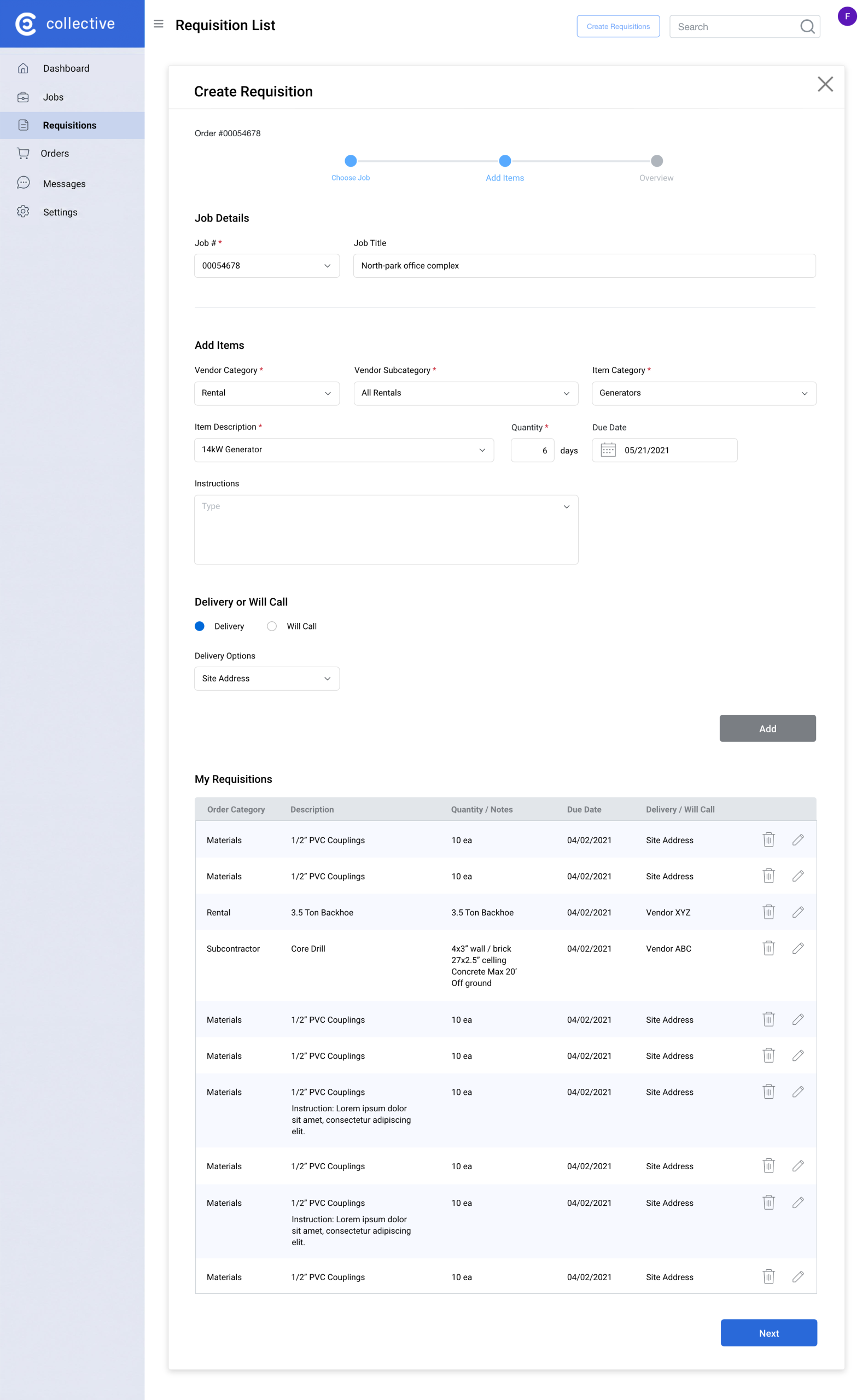
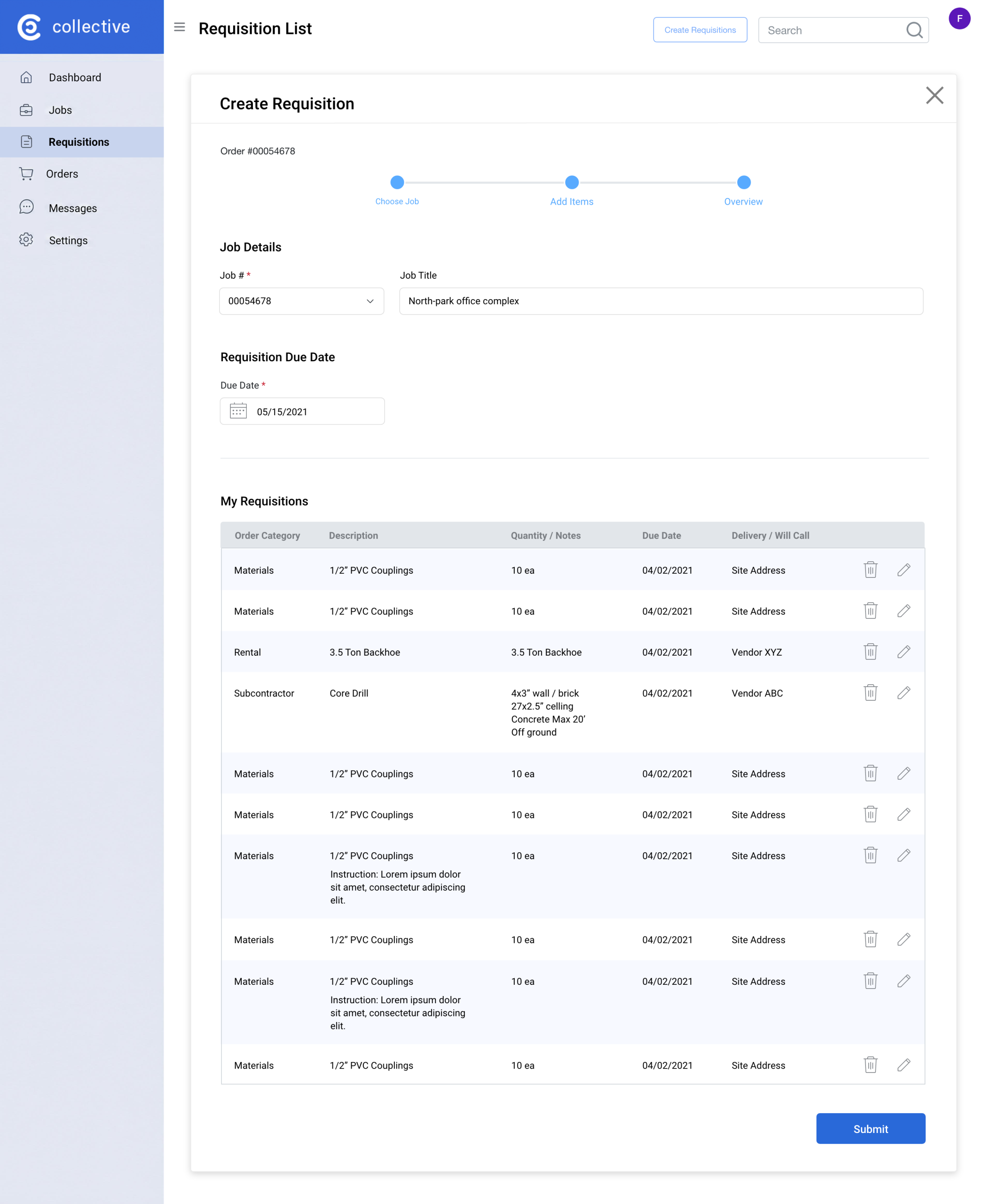
A foreman follows a three-step requisition process: first, he adds the job site, then selects the required items, and finally submits the requisition to the system.
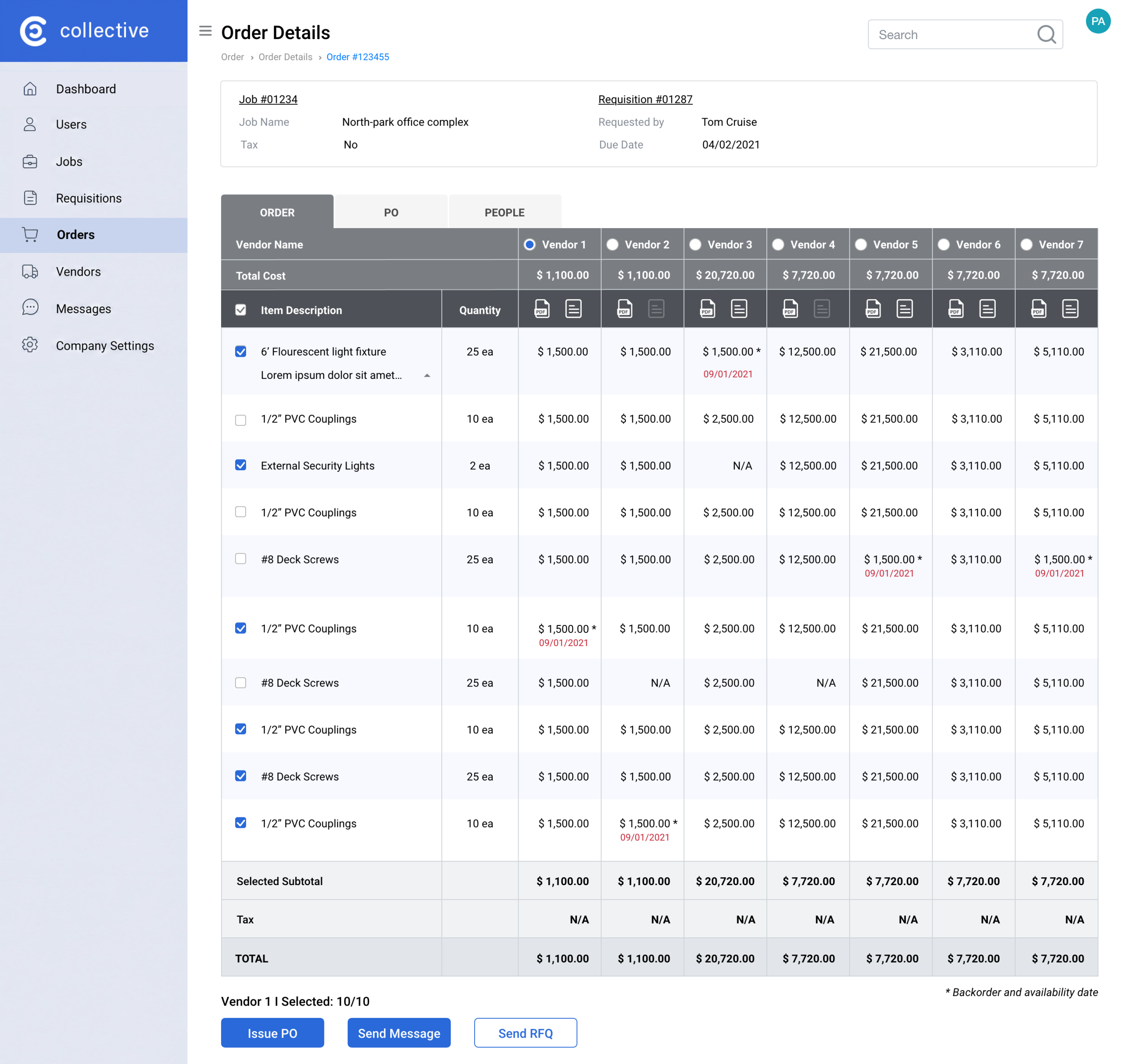
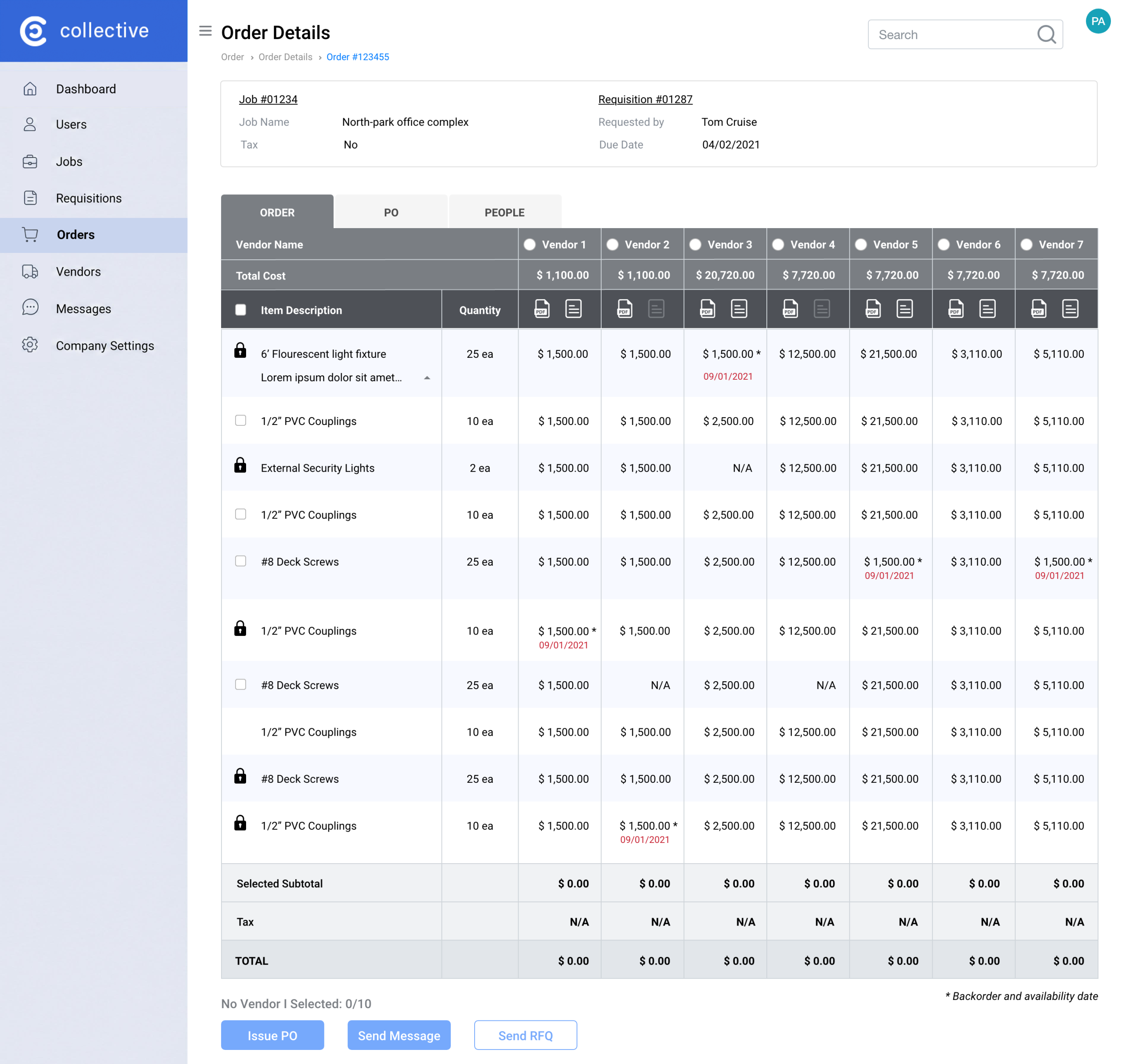
The procurement agent can create a full order from a single vendor and issue a purchase order, or combine items from different vendors into one order. Once the purchase order is issued, the items are visually marked as blocked with a lock icon.
LESSONS LEARNED
Design Principles Reinforced
Three things I’d bring to any complex enterprise engagement:
– Journey maps that become shared contracts — not deliverables filed and forgotten. The map was the project’s north star through 15 months of shifting requirements.
– Scope discipline is a design skill. Knowing what not to build first—and how to phase the rest—is as important as creating the designs themselves.
– Early accessibility decisions pay off. Fixing a color system later would have been far more expensive than defining it during research.