
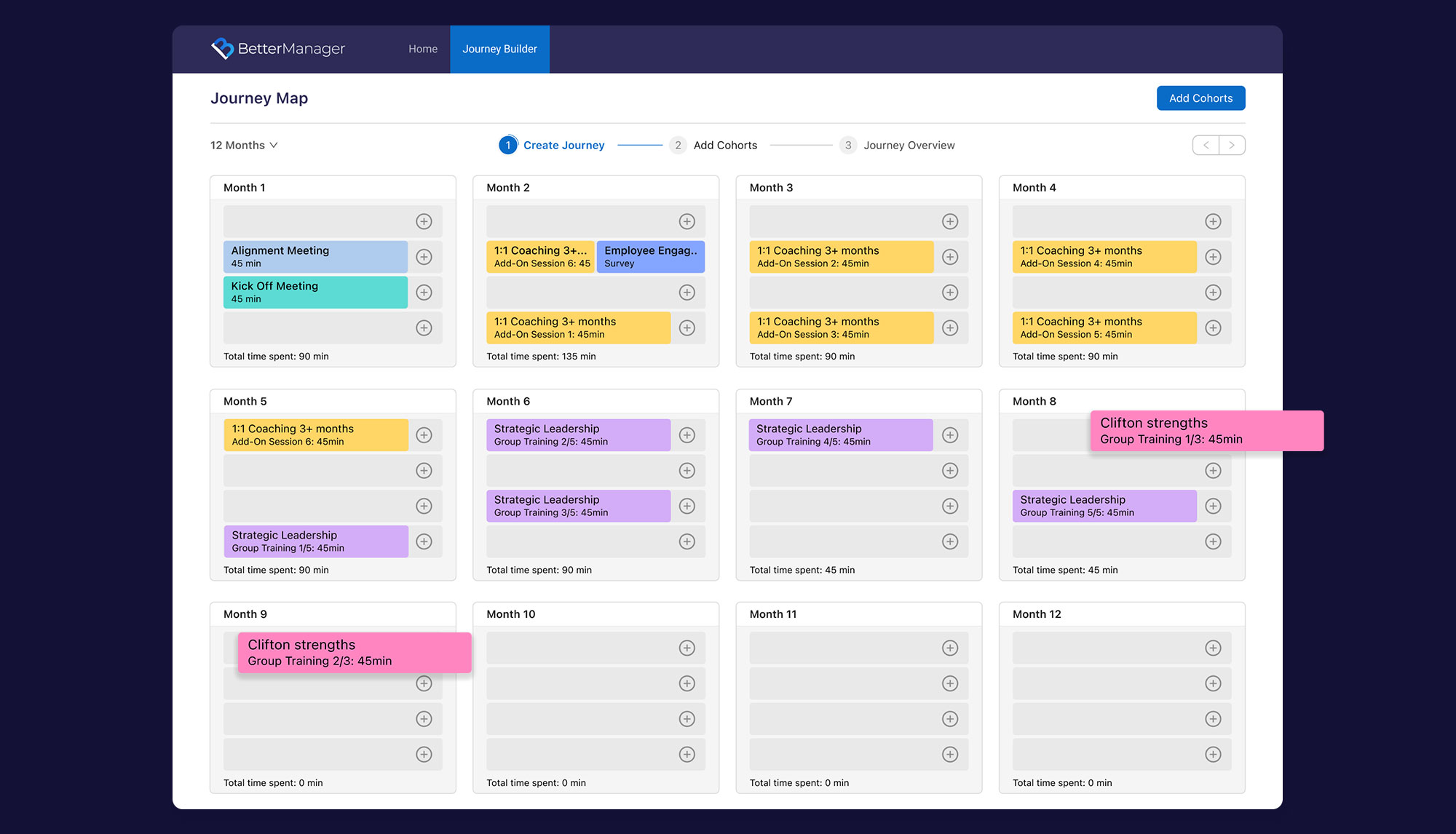
Modernizing the 360º Evaluation Process
What is 360º?
ABOUT
The project was for a leadership development coaching company I worked for.
360º feedback is a performance evaluation method that gathers feedback from multiple sources: managers, peers, colleagues, supervisors, and the individual employee to provide a well-rounded view for improvement.
Note: Every year the company serves ~1500 surveys. It’s one of the most demanded company products.
DURATION:
3 months
MY ROLE
Product Strategy, Product Design, UI/UX Designer.
TEAM
I worked in a trio team: Project Manager + Product Designer + Development Lead.
WHEN
2023
THE BIG “WHY?”
Why was need to redesign the 360º process?
REASONE
The company’s 360º assessment product was integrated into the coaching process. The 360º assessment product cannot function as a standalone offering.
The coaching process combined a series of sessions with a human coach and a 360º evaluation into a single product.
Users involved:

Participant (Client)

Coach

Coworkers
A visual showing the coaching process that includes the 360º assessment:

How it helps the business?
OPPORTUNITY
Excluding human involvement and automating the system reduces the cost of the operation.
Note: Coaches were actively nudging participants to stay engaged in the 360º process through personal outreach and notifications sent via the admin panel.
Launching the automated 360º standalone product without coaching can bring numerous market opportunities, such as:
• Can serve as a supplementary solution to the products offered by partner companies
• Can be incorporated into any assessment combination that clients wish to use, regardless of the purpose
Create a 360º automated atomic product
GOAL
The goal was to design a self-sufficient 360º assessment informed by the best practices and insights from the current system.
Users involved:
Participant (Client)
Coworkers
A visual outlining what needs to be cut from the process to meet the goal:

What was archived
POSITIVE IMPACT
The cost per 360º decreased by 12% by automating the process
The cost per 360º decreased by 12% by automating the process
The cost per 360º decreased by 12% by automating the process
DISCOVERING & ANALYZING
Critical aspects of design decisions
360º Tasks
Users involved:
Participant (Client)
Coworkers
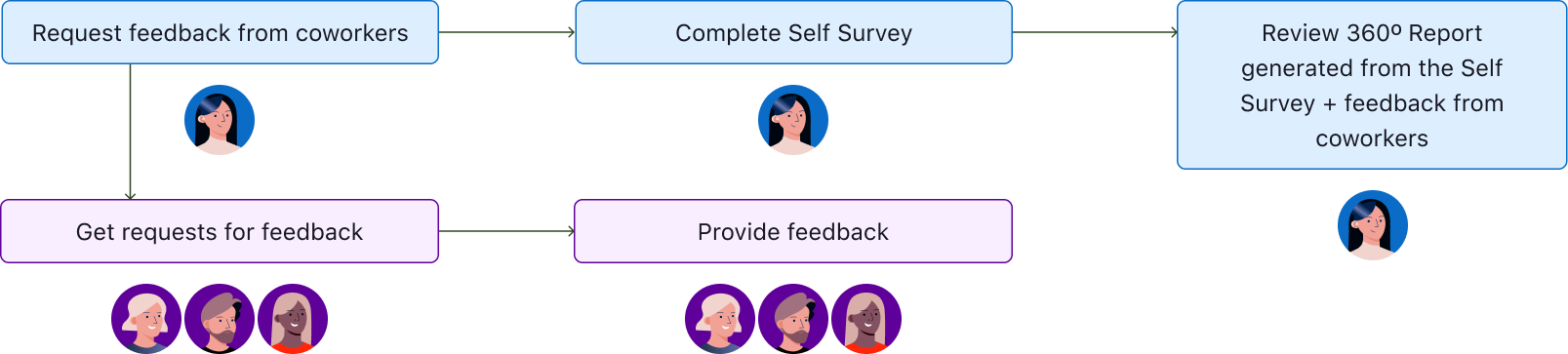
Users need to follow a few simple steps to complete the tasks:
Confusion at the starting line
Participants often have little understanding of the 360º process.
They’re assigned to it by their learning leaders and don’t have time to learn what it involves. As a result, they enter the process with no context and expect to finish it quickly.
Getting coworker feedback is the biggest pain point
Participants are unsure about who is qualified to provide feedback.
Participants often struggle to get feedback from coworkers because it’s voluntary and not a priority; coworkers may ignore the request or forget it.
DESIGN EXECUTION
PROBLEM:
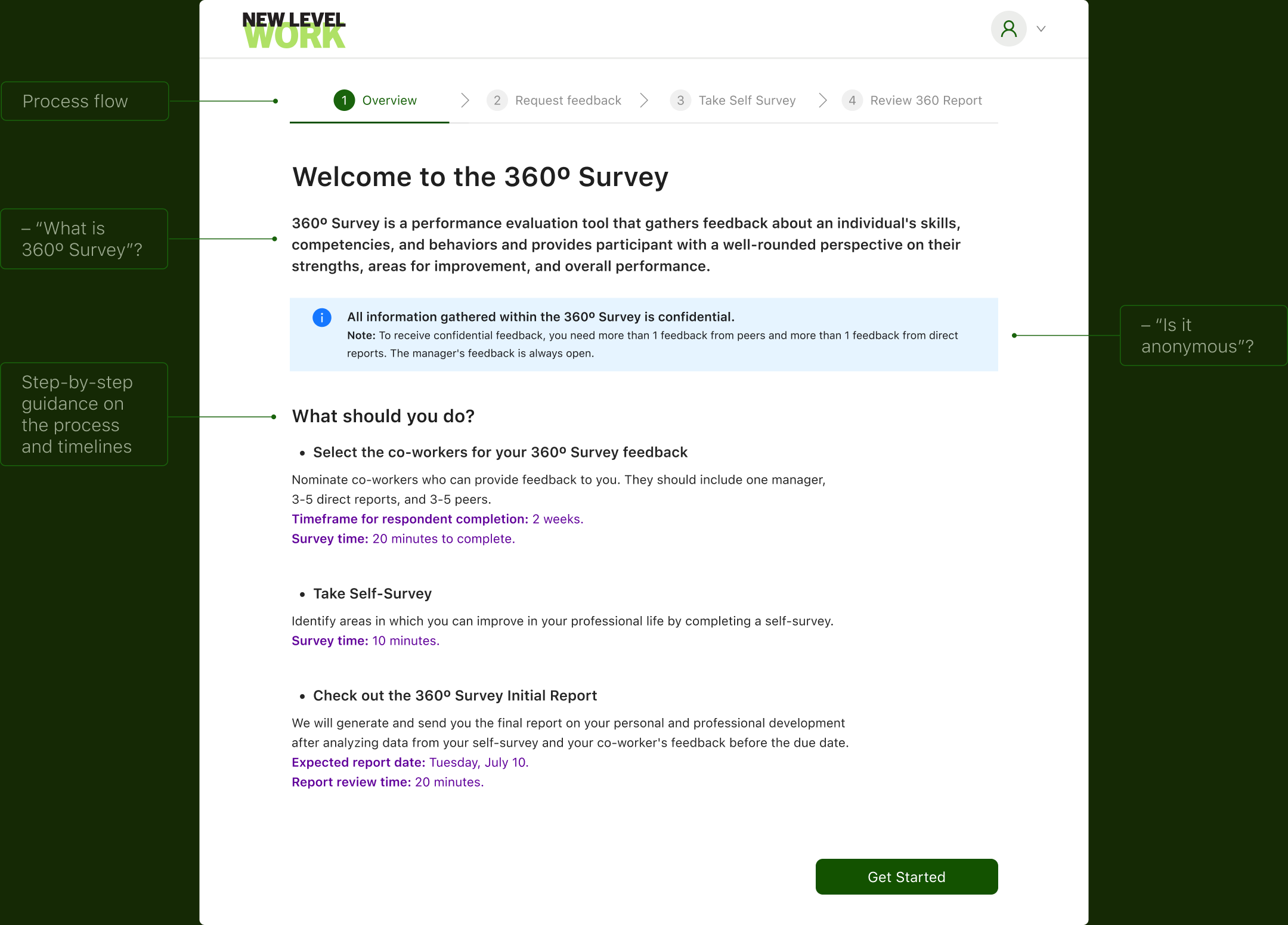
Users complained about the lack of clarity and directions.
Previously, they relied on coaches for guidance, causing unnecessary back-and-forth.
OUTCOME:
I addressed all key 360º questions upfront, which noticeably improved understanding and engagement in testing.
CHALLENGE:
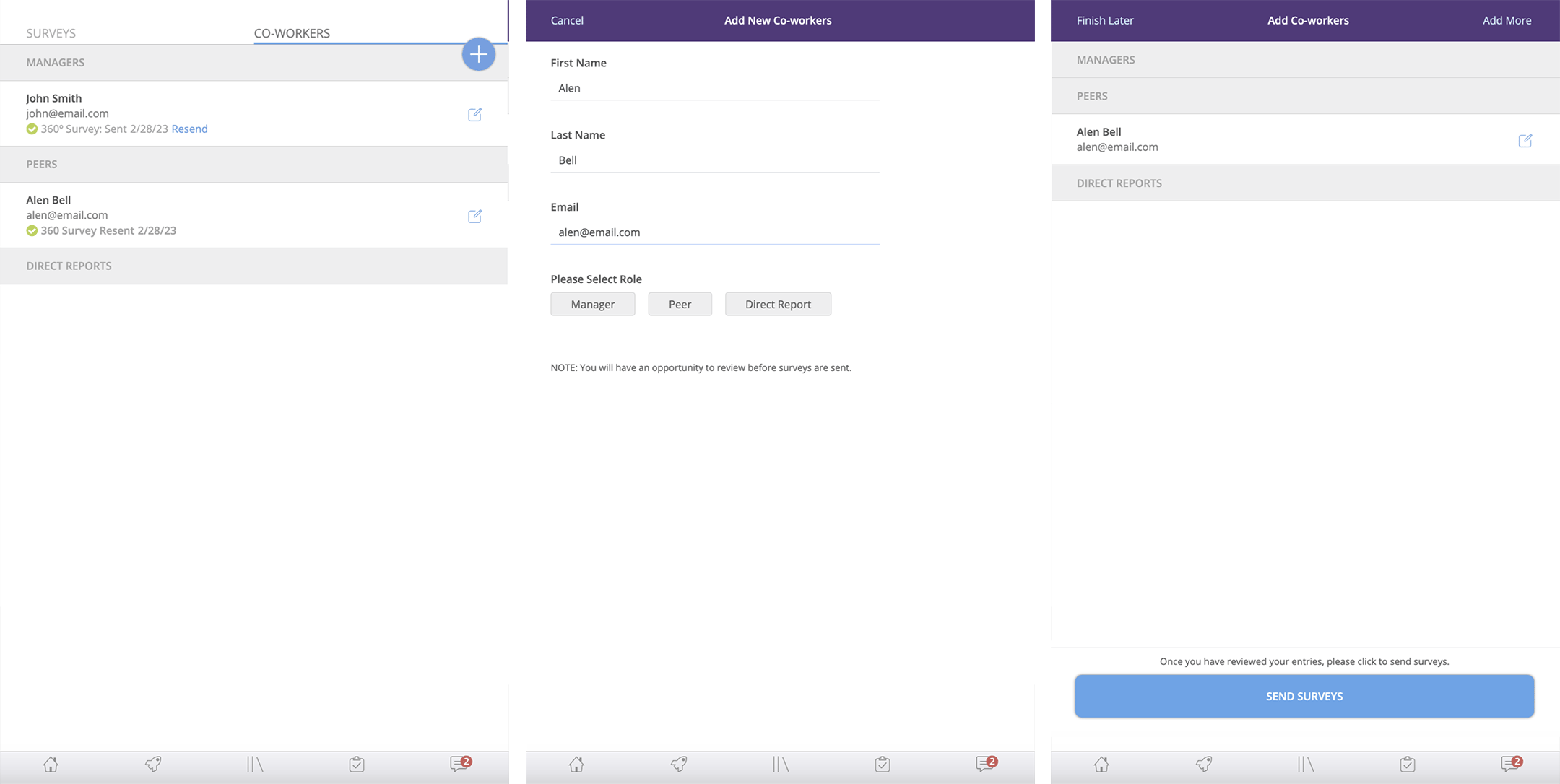
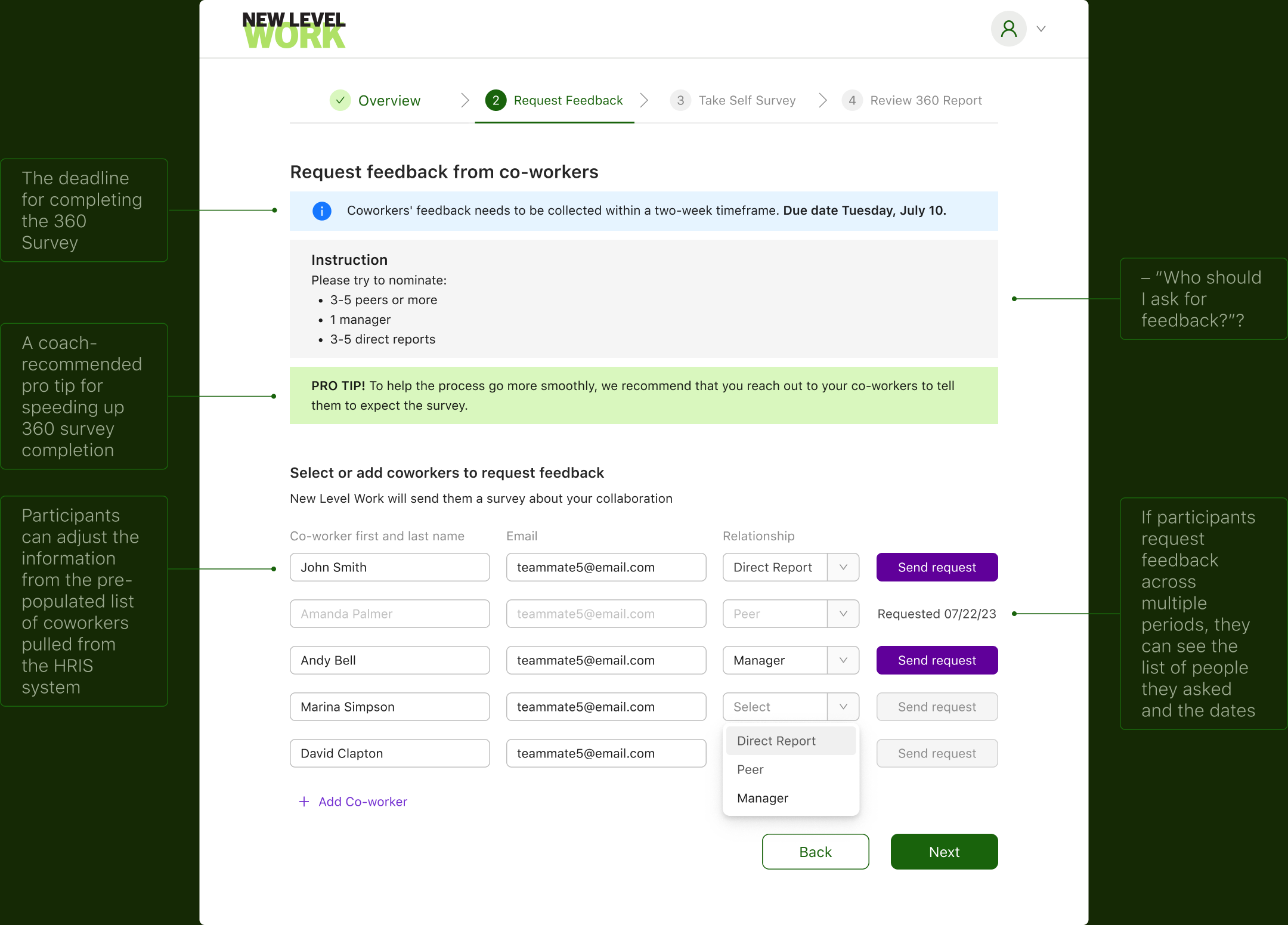
Streamline the feedback request process so clients can submit requests easily
TEAM DECISION:
We agreed on a technical decision to retrieve the coworkers’ data from Human Resource information systems (HRIS) system.
Assumption: Clients are more likely to request feedback from the people they already see on the screen. Additionally, participants can manually add co-workers.
TEAM DECISION:
We decided not to include the “Select all coworkers” feature, which would have sent feedback requests to all coworkers.
• Based on the research, the participant prefers to request feedback in a selective manner (cherry-picker method).
• Only 15% of participants list more than 10 coworkers. Most have 3–7, meaning they typically request feedback from 3–7 people pulled from the HRIS list.
• A/B testing showed users prefer requesting feedback one at a time over selecting all coworkers.
Before
After
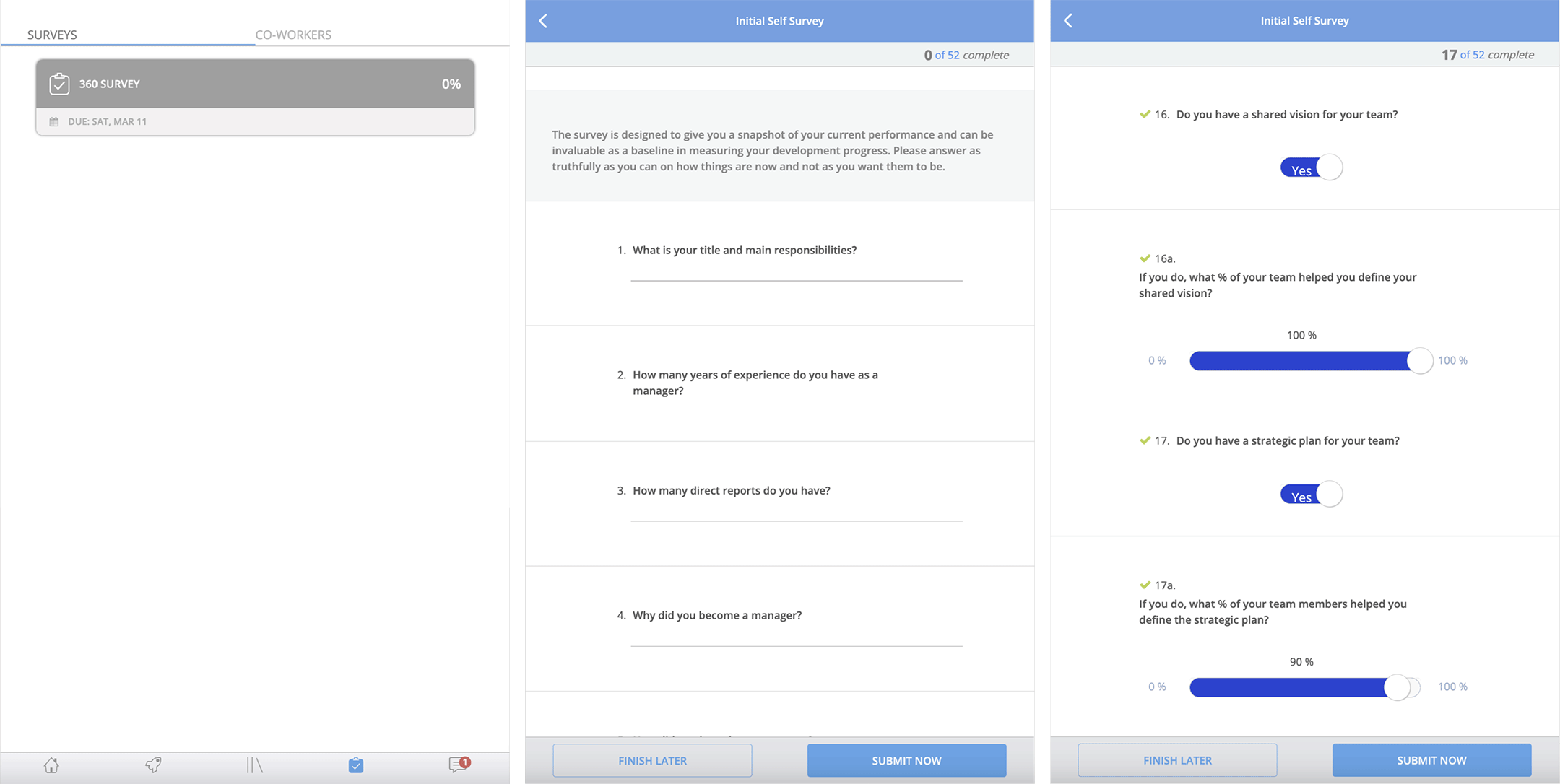
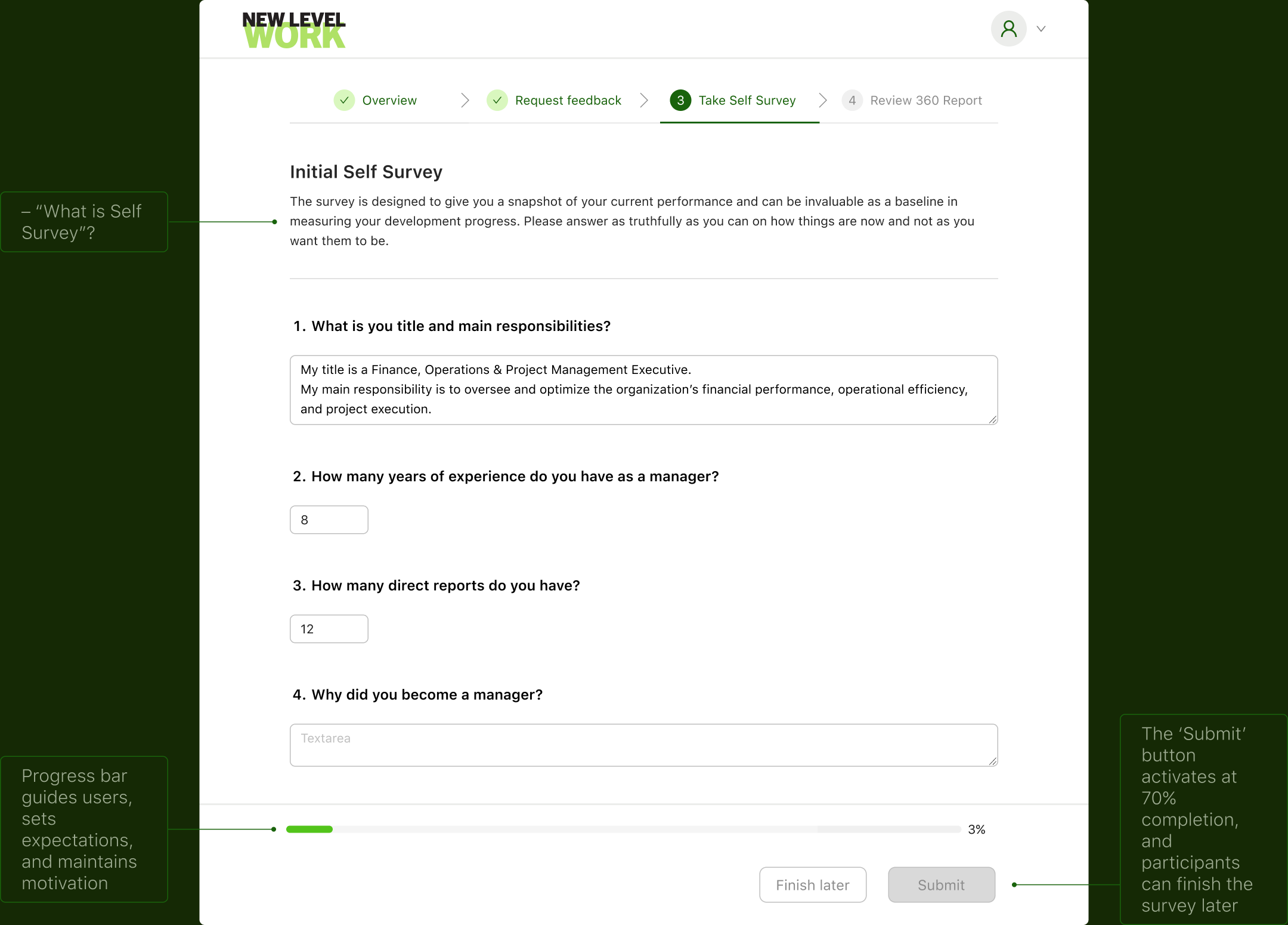
To reduce drop-off and keep participants engaged, I added a progress bar.
Before
After
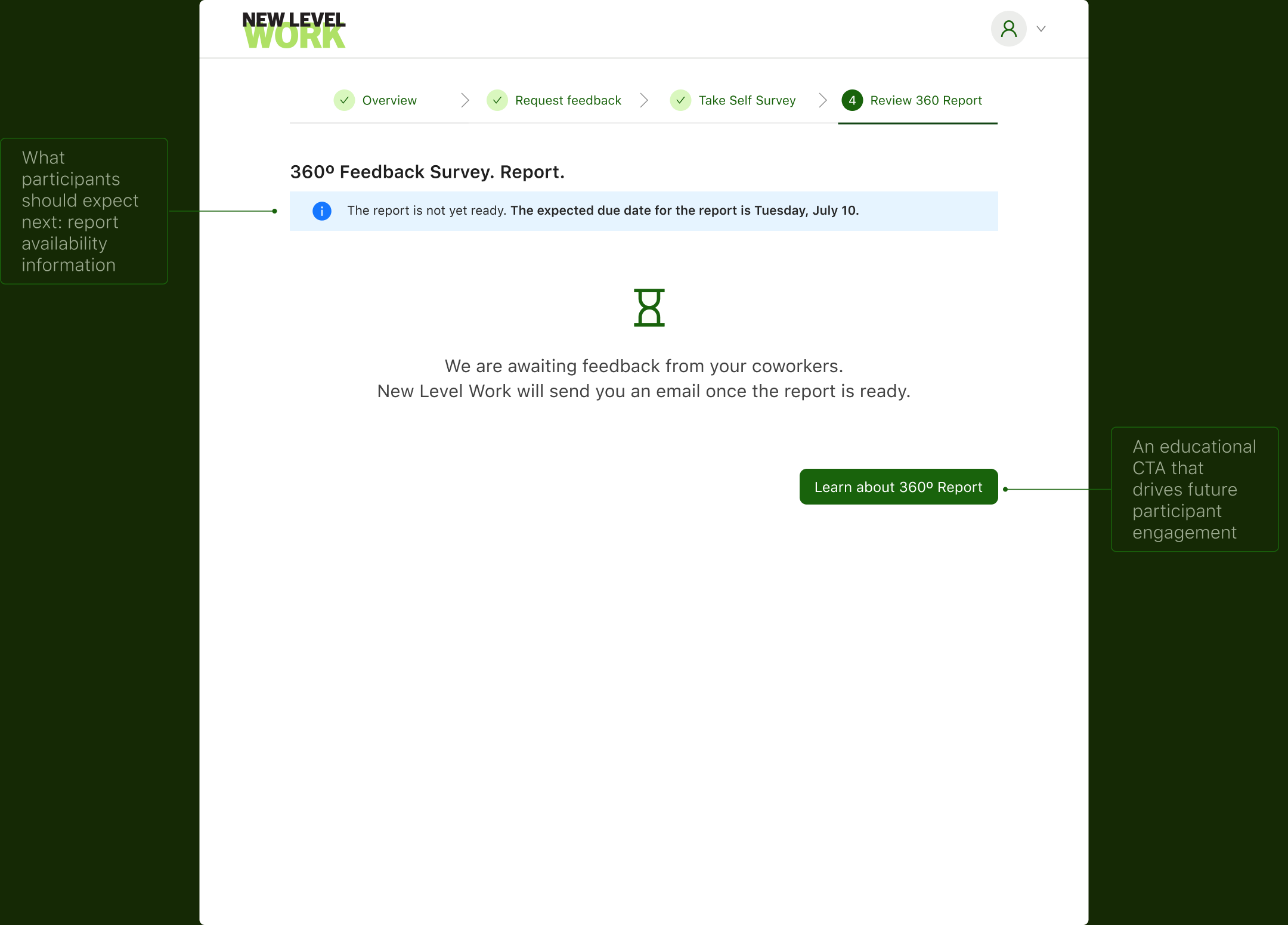
To maintain user engagement and eliminate confusion about “what’s next” , I designed the final screen.
However…
The UI flow is the train’s shell; NOTIFICATIONS are the engine that actually moves the 360 process
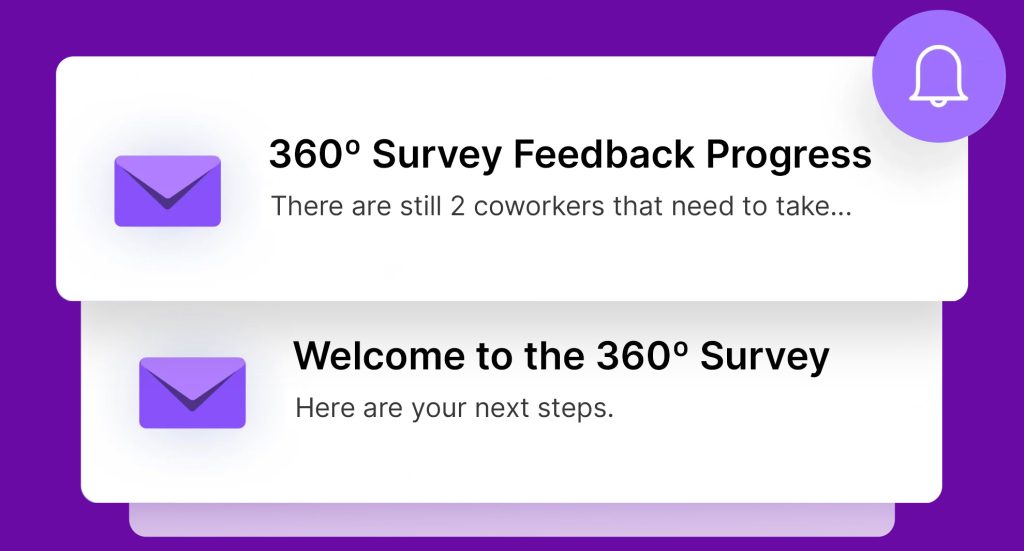
Sadly, the old notification data can’t be trusted
MAIN DETECTIONS
1. The coaches actively prompted coworkers by sending emails through the admin panel and contacting participants as the 360º assessment due date approached.
2. The notification system didn’t function properly:
– Some reminders didn’t match user scenarios, causing participant confusion.
– Technical issues were detected affecting about 15% of participants, who reported not receiving the 360º Welcome email.
Create an automated notification system
GOAL
Provide the information users need without overloading them, so notifications assist and support task completion.
ANSWER THE QUESTIONS

How can we help Participants complete the 360º process within 10 business days by re-engaging them at key stages?
How can we assist Coworkers in completing the feedback survey within 10 business days by re-engaging them in the process?
CHALLENGE
Users are often tired of notifications, which leads to lower engagement and a negative impact on user experience.
From noise to clarity: Structuring 360º notifications that engage
STRATEGY
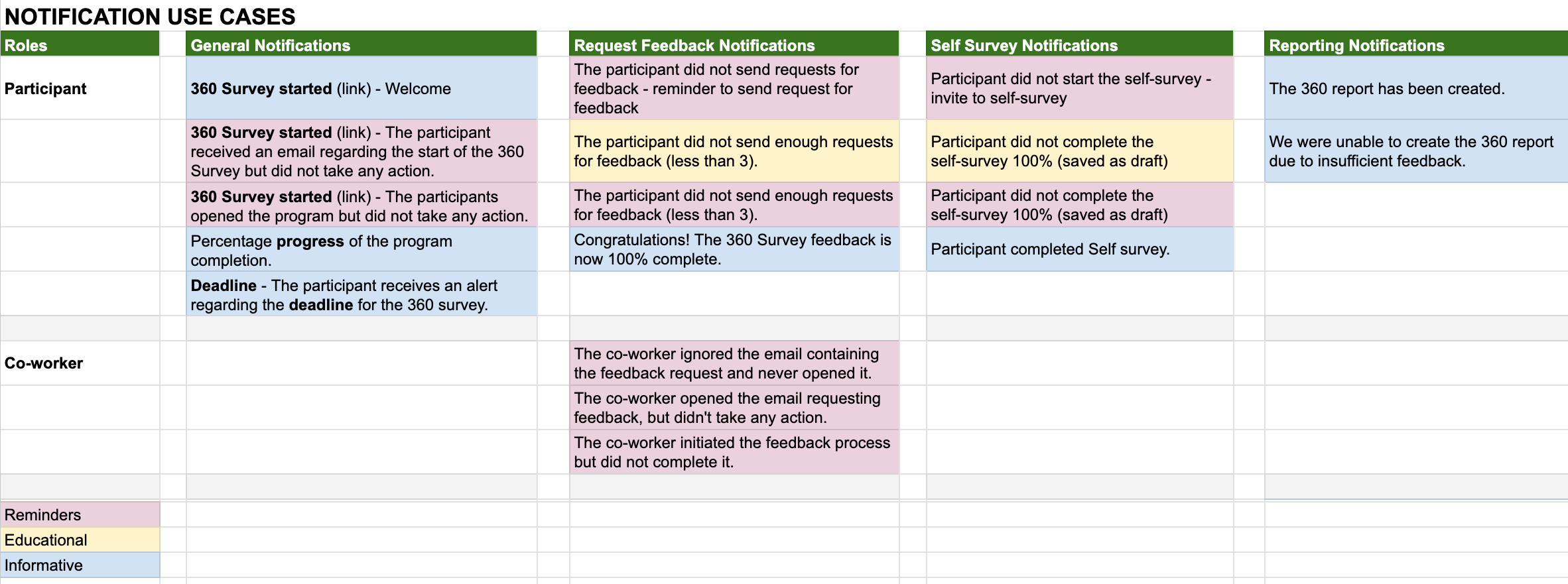
I mapped all 360º notification distribution use cases across assessment phases and user roles, and identified clear categories that helped structure the system more effectively.
The assumption: participants can be engaged at 360ºthrough different types of information (reminders, educational, informative).
I applied the notification system to the full timeline and created detailed documentation for both engineering and copywriting.
Sales reps click the red button to launch the Sales Configurator.
But…
We needed to move quickly and reduce engineering effort, so we simplified the notification system for the first version.
WHAT DID I DO?
I prioritized Reminders and Information notifications.
The severity level for them is high. They require, or are triggered by, the user’s action or inaction.
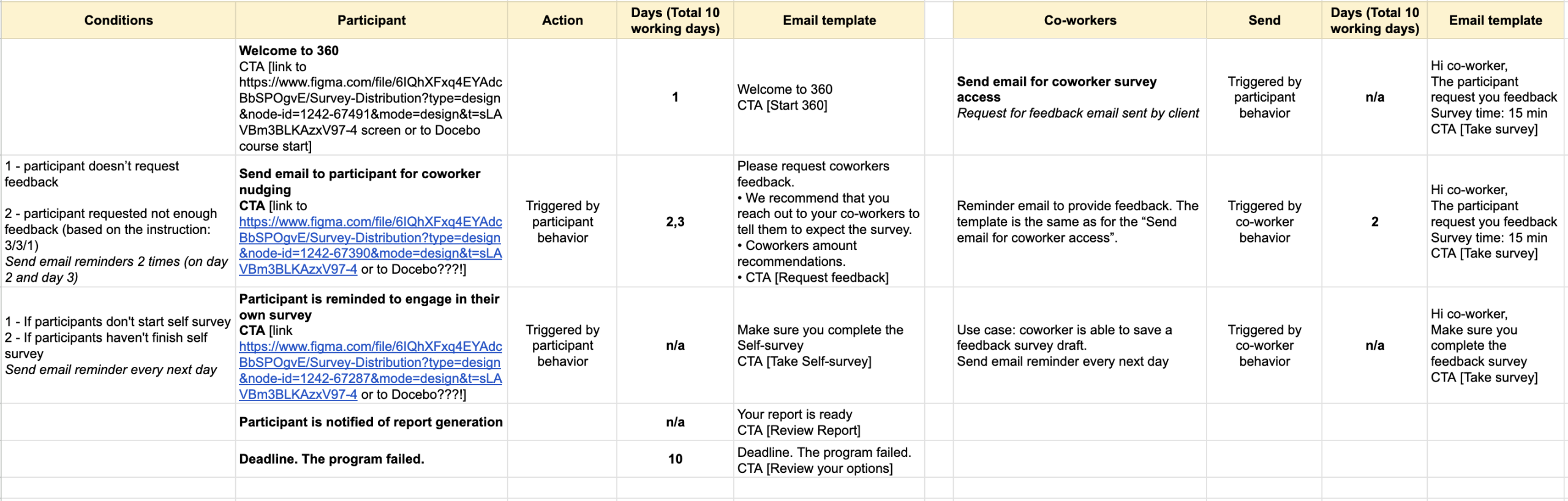
Notification logic specification
To support future analysis of 360º completion and engagement, we began tracking follow-up statuses:
DELIVERY
We aligned on the core email notifications: 6 for participants and 2 for coworkers. Each email includes a CTA button that takes the user directly to the task they need to complete.
The engagement data from these emails will serve as a baseline and help guide the next round of improvements.
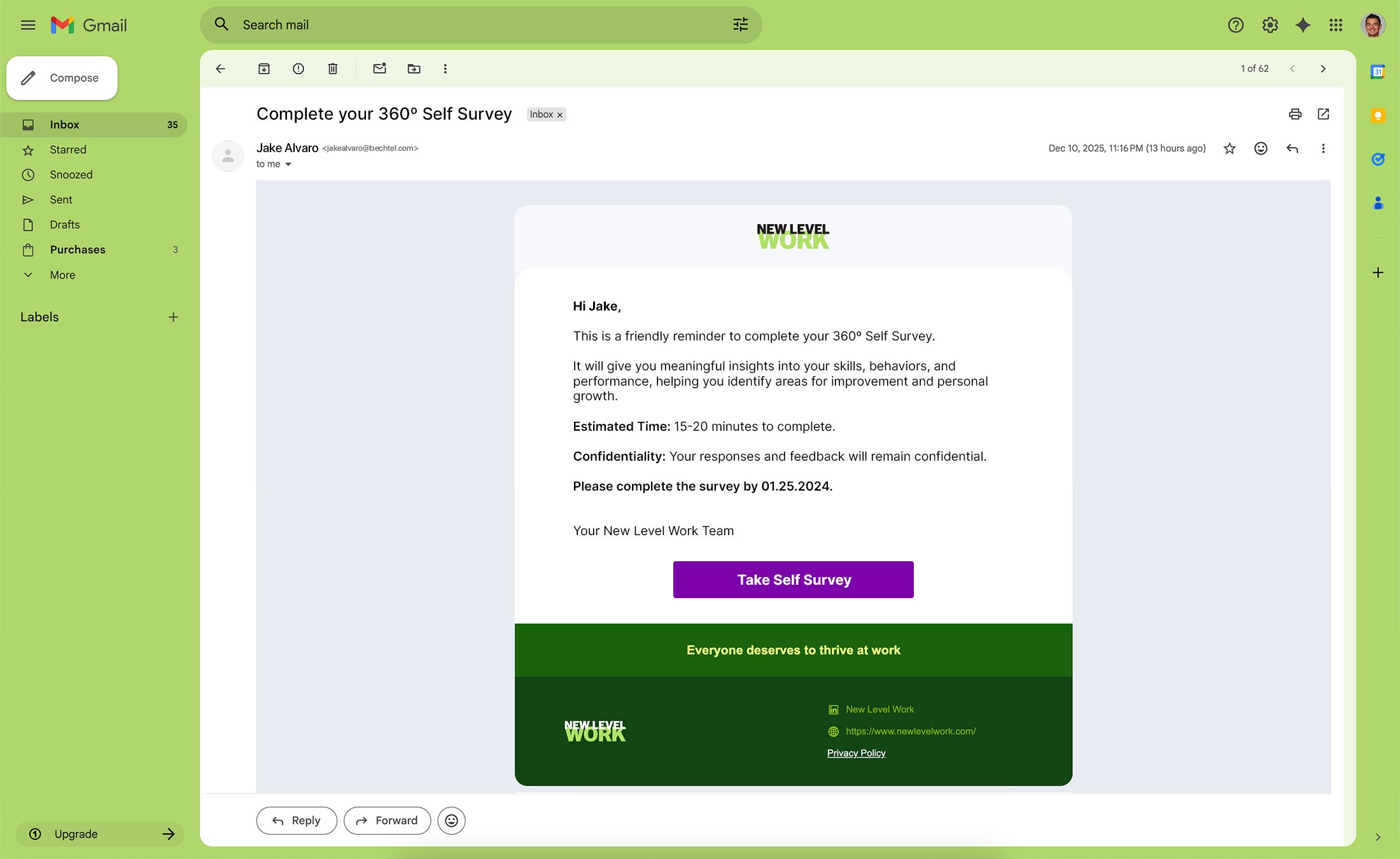
Compete your 360º Self Survey email reminder to the participant
Reflection
The smooth experience of the Sales Configurator can be extended to a standalone product. Clients would access it directly on the company website, using AI assistance to build their purchases. This approach educates clients about the products, promotes transparency, and builds trust.